OpenAI’s hardware bar for Codex CLI is polite: 4GB minimum, 8GB recommended. That sentence only promises the process can start. It does not promise you can finish a real loop in a real repo—read the code, edit files, run tests, commit. Inference lives in the cloud. What actually fills local RAM is the index, tests, Docker, Xcode, and MCP child processes the agent wakes up on your machine.
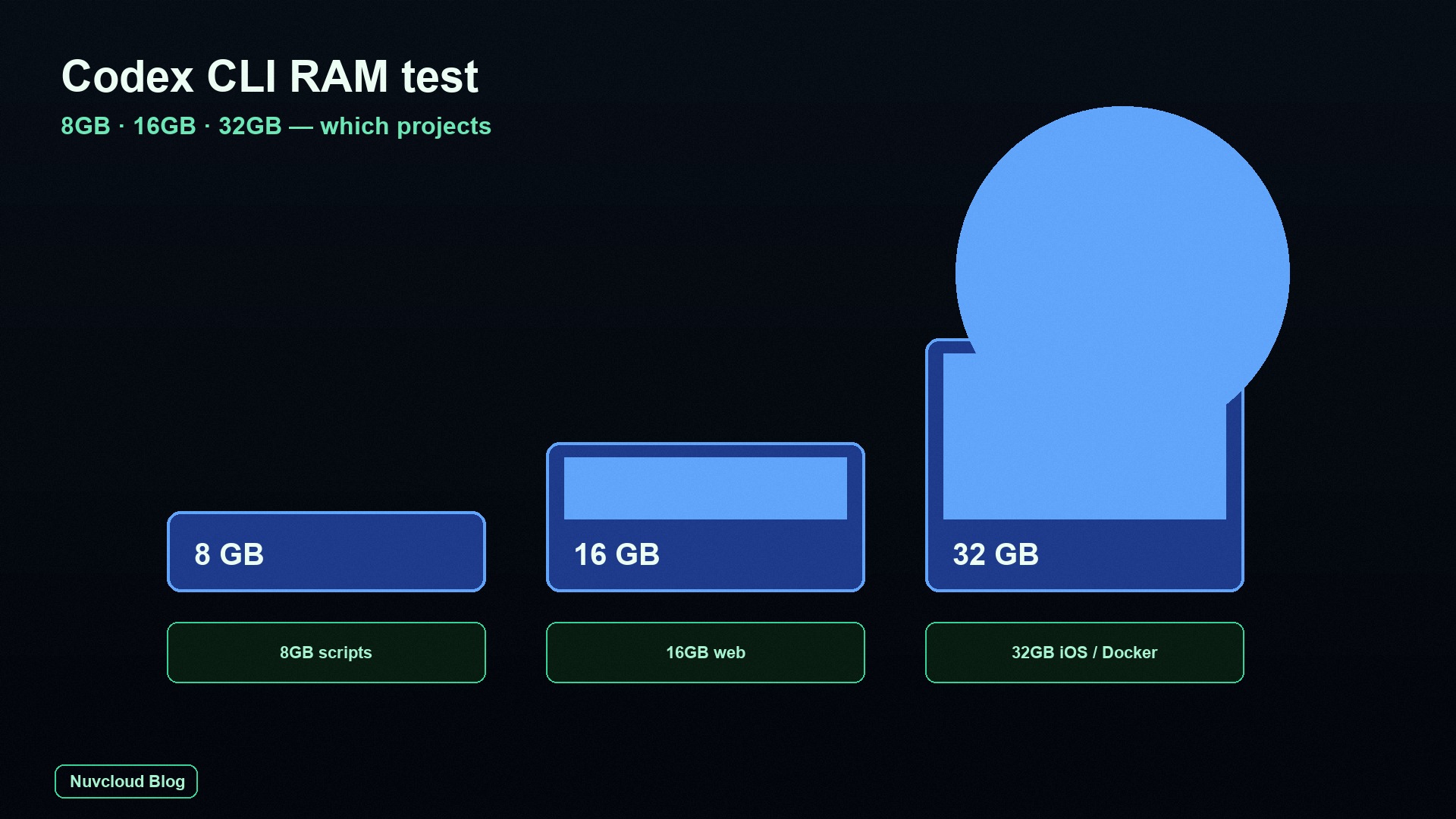
Bottom line: 8GB is fine for scripts, doc sites, and a single-service small repo. 16GB is the comfort line for everyday Web work. 32GB is for monorepos, iOS, and the “Codex + containers + browser MCP” stack piled together. The official numbers are a launch threshold, not a project checklist.
As of 9 September 2026, the official Codex install notes still say macOS 12+ / Ubuntu 20.04+ (Windows through WSL2), with 4GB minimum and 8GB recommended. The CLI itself is already a native Rust binary; idle, it often sits at a few hundred MB. Same story as Claude Code or Cursor: the expensive part is not the agent process. It is the local toolchain the agent wakes the moment it starts working. If you are shopping RAM tiers for a different agent, compare our Claude Code 16 / 24 / 64GB RAM test. If you want a private PR review service, that is a different article: OpenCode Review 4 / 8 / 16GB. This piece answers one question: which class of project Codex CLI can actually finish on 8 / 16 / 32GB.
That distinction matters more in 2026 than it did when “an AI coding tool” still meant a chat pane that never touched your disk. Codex will grep, edit, spawn test runners, and—if you let it—bring up Compose stacks and browser automation. The model answering from OpenAI’s side can be excellent and still look broken on your laptop, because the laptop ran out of room for the tools. Readers who already bounced off an 8GB “recommended” machine usually did not hit a model limit. They hit npm test, xcodebuild, or an MCP process tree that never went away.
Official 4GB / 8GB only guarantees a start
The most common misread is treating “8GB recommended” as “8GB can write any project.” The official table answers a narrower question: can the operating system, plus Node or other runtime deps, plus the Codex process itself, stay alive? It does not cover the work you actually assign:
- The repo has
node_modules,DerivedData,.next, or tens of thousands of source files, and the agent reads by path and searches with tools; - You ask it to “fix this failing CI,” and it runs
npm test,pytest, orxcodebuild; - You enabled Playwright / Chrome DevTools / XcodeBuild MCP, and each session may grow another Node process tree;
- The same machine is also running a browser, an IDE, and a local dev server—none of that is in the “4GB minimum.”
Inference happens on OpenAI’s side, so a bigger GPU will not help. Local RAM decides whether the toolchain has somewhere to stand. That is why the same official sentence feels generous on a scripts repo and dishonest on an iOS monorepo. A 180-file Python CLI can look like the install doc was written for you. An 800-file Next.js app with a test runner already starts paging on 8GB. Add Docker or Xcode and the official recommendation stops describing the job.
Think of 4GB / 8GB as the difference between “the binary launched” and “the binary can babysit a compiler.” Launch is cheap. Babysitting is not. If your daily prompt is “explain this function,” almost any modern laptop is enough. If your daily prompt is “make the tests green and open the screen in a simulator,” you are no longer sizing for Codex. You are sizing for the toolchain Codex is allowed to touch.
The RAM bill: CLI, index, subprocesses, MCP
Resident memory for one interactive session splits into four bills. Look at them separately and you know which line to cut—instead of buying RAM as the first move. Most “Codex is huge” complaints mix two or three of these into one Activity Monitor row and then blame the CLI.
| Bill | Typical size | When it spikes | Strategy on 8GB |
|---|---|---|---|
| Codex CLI itself | 0.4–1.2 GB | Very long sessions, internal state not reclaimed | When the task is done, /new or quit |
| Repo reads / index | 0.3–2 GB | Large repos, unignored build artifacts | Write a real .gitignore, shrink the working directory |
| Spawned subprocesses | 1–12 GB | npm / Docker / xcodebuild | Do not let the agent start containers or simulators |
| MCP process tree | 0.5–several GB | Browser, Xcode, unreclaimed sub-agents | Off by default; enable only when you need it |
The community already has loud signals. On a local repo of about 1.2GB, people have watched Codex’s native runtime anonymous RSS climb to 18GB and even 29GB until a cgroup killed it (openai/codex#21233). A second class of failure is MCP lifetime: after a session is suspended or a sub-agent ends, the npx / Playwright / xcodebuildmcp tree does not exit, and a 16GB machine gets dragged into swap by orphans. So “32GB is always safe” is also false—it only buys you more time to notice.
That is the difference between this article and “what size computer should I buy” roundups. We bill by project toolchain, not by chip codename. An M-series badge does not change the fact that xcodebuild plus DerivedData can land in the mid-teens of GB, or that a leaked Playwright tree has no polite ceiling. If you only remember one row in the table, remember subprocesses: 1–12 GB is a wider band than the CLI itself, and it is the band that decides whether 8GB was a recommendation or a dare.
Index cost is the quiet one. Codex is not a full IDE, but it still walks the tree you pointed it at. Leave dist, coverage, and .next visible and you pay for them twice: once on disk, again in the agent’s working set. A clean .gitignore and a smaller working directory are not style points. They are how you keep the 0.3–2 GB line from becoming the reason a “small” session feels heavy before any test has started.
How we tested: three caps, six projects
We ran the same Codex CLI (ChatGPT login, default coding model) through six fixed tasks, capped at 8 / 16 / 32 GB of available memory. On Linux we used systemd-run --scope -p MemoryMax=. On macOS we watched Activity Monitor memory pressure and swap. Only four metrics counted: peak RSS of Codex plus subprocesses, whether the machine started writing swap hard, whether the task finished, and wall-clock time.
The six projects are jobs developers actually hand to an agent, not Hello World. That choice is the whole point. A toy repo will always flatter the official 8GB line. A mid-size app with a real test command will not.
- P0 empty session: cold-start
codex, ask one question about repo layout, run no tests. - P1 small Python CLI: about 180 source files, fix a parsing bug, run
pytest -q. - P2 mid-size Next.js: about 800 source files, add one API route, run
npm test(no E2E browser). - P3 P2 + Docker Compose: Postgres plus the app container; Codex changes a migration and restarts the stack.
- P4 iOS app: mid-size UIKit project; Codex changes one UI spot and runs
xcodebuild(no full simulator suite). - P5 P2 + Playwright MCP: open browser MCP and have it edit a component against the live page.
The numbers are peak ranges, not instrument-calibrated lab values. The environment still had an operating system and one lean terminal; we did not also open 40 Chrome tabs. If your machine is also holding Slack, Figma, and three dev servers, treat every tier in the table as one tier higher. That is not padding for marketing. Those three extras routinely eat the headroom that made P2 “finish with paging” instead of “finish at all.”
We also did not score model quality. If Codex produced a weaker patch on 8GB than on 32GB, that was not in scope. The question was mechanical: did the tools the agent started have enough RAM to run to completion? A beautiful Swift edit that never reaches a finished xcodebuild is still a failed project on that machine. Wall-clock time is in the log so we could see swap-induced stalls, not so we could publish a leaderboard of tokens per minute.
Cross-tier results: success, stall, kill
| Project | 8GB | 16GB | 32GB | Peak RSS (approx.) |
|---|---|---|---|---|
| P0 empty session | Smooth | Smooth | Smooth | 0.5–0.9 GB |
| P1 small Python + pytest | Finishes | Easy | Easy | 1.6–2.4 GB |
| P2 Next.js + unit tests | Finishes, starts paging | Smooth | Smooth | 5.5–7.8 GB |
| P3 + Docker Compose | OOM / killed | Finishes, memory pressure yellow | Stable | 11–15 GB |
| P4 iOS + xcodebuild | Does not finish | Swap during compile, occasional freeze | Finishes | 16–24 GB |
| P5 + Playwright MCP | Does not finish | Short sessions OK, long sessions leak processes | Short sessions stable, still need cleanup | 8–14 GB, uncapped after leak |
Read the table for two things. First, P2 is already near the 8GB ceiling—not because Codex ate 8GB, but because the node test process plus file reads finished what little free RAM was left. Peak RSS of 5.5–7.8 GB on a machine that also owes the OS a couple of GB is why “finishes, starts paging” is not a compliment. The task completed. The disk was already doing RAM’s job.
Second, P4 and P5 rarely fail because “the model cannot write Swift or click a page.” The compiler and the browser squeeze the machine first; the agent never reaches the last step. That is why a 16GB row can say “swap during compile, occasional freeze” even when the model’s patch was already in the working tree. You are not waiting on a smarter prompt. You are waiting on a linker that has been pushed into swap.
P3 is the first row where 8GB stops being a lifestyle choice and becomes a hard no: 11–15 GB peak, OOM or a kill. 16GB can finish if you accept yellow memory pressure. 32GB is the first tier that stays stable while Postgres and the app container are both up. P5’s “uncapped after leak” footnote is the one that should scare 32GB owners too. A short session in the 8–14 GB band is manageable. A leaked tree after that has no advertised maximum.
What 8GB can actually finish
8GB is the official “recommended” tier, and the reality for many thin laptops, entry VPS boxes, and older unified-memory Macs. The projects it can finish have a clear shape: few source files, no containers, no IDE simulator, tests that stay in-process. If that sounds like your week, you do not need to feel behind the official doc. If that does not sound like your week, the official doc is not writing about you.
Projects that belong on 8GB
- Scripts, crawlers, small tools, single-file refactors;
- Copy and config edits on a doc site (Astro / VitePress / Docusaurus);
- Small Flask / Express / FastAPI apps whose tests are
pytestor a handful of Node unit tests, no browser; - One-shot patches with
codex exec: read a few files, edit, exit—no interactive TUI left hanging; - Code-review comments, commit messages, turning an error log into a draft patch.
Projects to drop on 8GB
- Any fullstack that needs Docker Desktop / Compose;
- Xcode, iOS Simulator, Android emulators;
- Playwright, Cypress, Chrome DevTools MCP;
- Full-suite tests on a large pnpm / npm monorepo;
- “VS Code plus a dozen tabs, plus Codex editing the repo”—the system starts paging first. You think the agent got slow. The disk is doing RAM’s job.
The highest-leverage use of 8GB is not “suffer through a large repo.” It is cutting the large repo into small tasks: open only a subdirectory, leave MCP off, finish with codex exec and leave. Interactive long sessions are 8GB’s natural enemy—the longer the session, the more internal state and child processes linger. A cold P0 at 0.5–0.9 GB looks harmless. Keep that session open all afternoon, sprinkle in extra tool output, and you have spent the 0.4–1.2 GB CLI budget plus whatever the last command left behind.
If you must stay on 8GB for a mid-size Web app, treat Codex as a patch scalpel, not a resident IDE. Ask for one function, one test file, one config key. Run the heavy test suite yourself after the process has exited. That workflow is less magical and much more likely to finish. The moment you ask the agent to “just run the tests too,” you have moved the job from P1’s 1.6–2.4 GB neighborhood toward P2’s 5.5–7.8 GB ceiling—and P2 already pages on this tier.
What 16GB can actually finish
16GB is the default everyday Web tier we recommend. P2-class work—“mid-size frontend / fullstack plus unit tests”—finally stops racing the swap file. Nuvcloud’s entry cloud Mac mini is also 16GB unified memory, which lines up with this tier: when a thin laptop is not enough, move the Codex session and the toolchain to a dedicated node. That is less drama than forcing an 8GB notebook to pretend it is a build machine.
Projects that feel comfortable on 16GB
- Mid-size Next.js / Nuxt / Rails / Django with unit tests and a local dev server;
- One database container, or one very thin docker-compose (do not also stack Redis + Elasticsearch + a browser);
- VS Code / Zed plus terminal Codex, with 2–3GB left for the system;
- Mid-size Python data scripts (pandas on mid-size tables, no full local LLM);
- A single MCP opened briefly (Git or doc search, for example) and closed as soon as you are done.
Projects 16GB can do—if you follow the rules
P3 “finishes” on 16GB if you accept yellow memory pressure and do not run a second container stack in parallel. A small iOS change that only runs xcodebuild for a single target can sometimes squeeze through, but the moment a simulator opens you are back in “swap plus freeze.” Playwright MCP is fine for a short session (ten-odd minutes). Once you Ctrl+Z the session or chain spawn_agent, orphan Node processes will eat through 16GB—the community has already reproduced a dead machine on 16GB plus 8GB of zram.
One line: 16GB fits “one main project + one test suite.” It does not fit “main project + the full container set + a browser agent + IDE indexing.”
That sentence is the buying guide hiding inside the benchmark. 16GB is not “twice 8GB, so twice the project.” It is the first tier where P2 is smooth and P3 is a supervised yes. It is still a no for “keep Playwright on all day” and a lucky-maybe for iOS. If your honest week is a Next.js app, one Postgres, and an editor, buy or rent 16GB and stop reading chip rumors. If your honest week includes a simulator or a browser agent that you forget to kill, 16GB is a temporary desk, not a destination.
Projects that belong on 32GB
32GB is not a flex. It is the ticket for the projects below. They share one trait: Codex is only a slice of the bill; the compiler and the runtime are the rest. People who jump to 32GB because “agents are the future” and then only edit Markdown are overpaying. People who stay on 16GB because “the model is in the cloud” and then run Xcode locally are under-provisioned. Size the toolchain, not the vibe.
- Monorepos / multi-package repos: one
npm testorturbo run teststarts a row of Node workers; - iOS / macOS projects:
xcodebuild, DerivedData, and code indexing easily peak in the teens of GB; if you also open a simulator to check UI, plan on 32GB; - Codex + multi-service Docker: app, database, and queue all up, then the agent changes a migration and restarts the stack;
- Browser MCP / end-to-end: Playwright or Chrome DevTools clones another process tree; 32GB is enough for short sessions, long sessions still need manual cleanup;
- Parallel sessions: two Codex instances on two repos, or one interactive session plus a
codex execbatch.
32GB also will not stop known unbounded growth. If the repo itself is already a 1GB-class workspace, put a memory cap on Codex. Better a failed task than a frozen desktop. On Linux you can wrap it like this:
# On a 32GB machine, leave Codex 20G; the rest is for the OS / IDE / containers
systemd-run --user --scope \
  --same-dir \
  --unit="codex-$(date +%H%M%S)" \
  -p MemoryMax=20G \
  -p MemorySwapMax=2G \
  -p CPUQuota=300% \
  codex
macOS has no equally handy user-space cgroup. The practical move is to put the heavy work on a dedicated cloud Mac and keep the local machine for the editor and browsing. Nuvcloud’s public bare-metal tiers today are 16GB and 24GB—24GB already covers most P3. If P4 needs a simulator at the same time, prefer putting Xcode and Codex on that always-on remote machine instead of asking a 16GB laptop to do both jobs. Billing the agent node on its own also makes it easier to compare against GitHub Actions macOS runner costs for hosted versus self-hosted: one-shot runners for CI, a Mac mini rented by the day for interactive Codex. Do not mash both ledgers onto one overloaded notebook.
Two more notes so 32GB does not become a false ceiling. First, P4’s 16–24 GB peak is why “I have 32GB, I should be fine” is only true if the rest of the desktop is quiet. Leave Slack, a browser profile, and Xcode’s index running and you have spent the margin that made “finishes” possible. Second, P5 still needs a cleanup habit on this tier. Short sessions are stable. Long sessions still leak. Extra RAM is reaction time, not a leak fixer.
Pick a tier by repo and toolchain
Do not start with “should I buy 16 or 32.” Start with what the repo will wake up. The table below is in decision order: stop at the first row that matches.
| Your repo / working style | Pick | Why |
|---|---|---|
| Scripts, docs, small services; tests do not launch a browser | 8GB usable | Peak usually < 3GB; the official recommended tier covers it |
| Mid-size Web, unit tests + one dev server | 16GB | P2 already pages on 8GB; 16GB is the comfort line |
| Plus one database container | 16GB can carry it, 32GB is steadier | P3 peaks 11–15GB; 16GB goes yellow, 32GB does not steal the desktop |
| iOS / Xcode, even a single-target compile | 32GB or a remote Mac | The compiler is hungrier than the CLI; 16GB is luck |
| Playwright / browser MCP on by default | 32GB + close when done | The leak is more dangerous than the peak |
Two repos in parallel, or TUI + codex exec | 32GB | The bill roughly multiplies; then add OS headroom |
One variable people skip: disk and file descriptors. When MCP leaks, macOS’s default soft limit of 256 file descriptors can fail first with Too many open files. It looks like “Codex is broken.” It is pipes and orphans burning the quota. Before you ask whether RAM is enough, check ulimit -n and how many npx / mcp rows ps already shows.
Use the table as a filter, not a personality test. “I am a serious engineer, therefore 32GB” is how you overbuy. “I only write TypeScript, therefore 8GB” is how you underbuy if that TypeScript lives in an 800-file Next.js app with npm test. The rows are about processes, not identity. If you bounce between a doc site in the morning and an iOS target in the afternoon, you do not need one machine that is perfect at both. You need 8GB habits in the morning and a 24GB remote Mac—or a quiet 32GB desk—for the compile.
Survival config on a small machine
If you are stuck on 8GB or a tight 16GB for now, change behavior before you talk yourself into an upgrade. The list below is ordered by payoff versus pain. None of these steps turn P4 into an 8GB-friendly project. They can turn P1 and P2 from “it launched” into “it finished.”
- Zero MCP by default. Turn browser or Xcode tools on only when you need them, then remove them from
~/.codex/config.toml. Do not put xcodebuildmcp or Playwright in the global default. - Keep interactive sessions short; use
codex execfor batch work. A one-shot patch does not need a TUI. Batch work spends less on UI state. - Do not Ctrl+Z Codex. After a suspend, MCP children often keep living. Quit, or detach inside tmux.
- Shrink the working directory. Start in a subpackage, not at the root of a 40,000-file monorepo. Keep
dist,coverage, and.nextout of the read path. - Cap tool output. Community practice is to set a ceiling on
tool_output_token_limitso one fat log cannot blow up both context and the local buffer. - Watch processes, not just “it feels slow.” If
ps aux | egrep 'codex|npx|mcp|node'shows a dozen duplicate MCP trees, kill the orphans before you continue.
ps aux | egrep 'codex|npx|playwright|mcp-server|xcodebuildmcp' | grep -v egrep
# If they are still here after the session, clean up before the next round
# On macOS you can also sort Activity Monitor by Memory and watch node and Codex
These steps will not make P4 friendly to 8GB, but they can move P1 / P2 from “it starts” to “it finishes.” More RAM solves peaks. Config changes solve leaks and concurrency. If you only do one thing this week, do the first: MCP off unless the current prompt needs a browser or an Xcode tool. The 0.5–several GB MCP line is optional. The 1–12 GB subprocess line is not optional once you have asked for tests—but you can still refuse containers and simulators.
A practical afternoon on a thin laptop looks like this. Morning: codex exec on a subdirectory, MCP off, tests run by you in a second terminal after the agent exits. Afternoon: if the task grew into Compose or Xcode, stop trying to be heroic on 8GB and jump to the cloud section. Survival config is for staying productive until the job changes shape. It is not a way to make 8GB impersonate 32GB.
When to move Codex to a cloud Mac
If any two of these are true, pull Codex and the heavy toolchain off the laptop:
- The local machine is only 8GB or 16GB, but the work is already P3 / P4 / P5;
- You need the same session on a commute, a Windows host, or a shared computer;
- The Xcode version must stay isolated from everyday local development (SDK week and beta week make this obvious);
- Someone on the team set MCP as a global default, and the shared machine fills with orphans by afternoon.
A cloud Mac mini is not “more expensive Codex.” It is dedicated unified memory, a native Unix toolchain, and a dirty environment you can throw away by the day. The 8GB laptop keeps mail and docs. A 16GB or 24GB remote node runs Codex, tests, and Xcode. Apple Silicon idle power is low enough for overnight jobs; SSH / VNC is also more honest than staring at a spinner on a laptop that has already started paging.
This split also keeps two different failure domains apart. A leaked Playwright tree on a remote node is an annoying ps session, not a frozen commute. A beta Xcode that misbehaves stays on the machine you rented for that week, not on the laptop that still has to join a video call. And because Nuvcloud’s public bare-metal SKUs are 16GB and 24GB unified memory—not an 8GB plan, not a 32GB plan—you match the two tiers this article actually recommends for daily Web and for container / light iOS work. For a full simulator-class P4, the 24GB node takes Xcode; the laptop stops stacking containers on top of the editor.
Keep the 8GB laptop for travel; leave the heavy work on an always-on cloud Mac
Codex CLI’s model is in the cloud, but npm test, xcodebuild, and MCP all run on the machine you chose. Nuvcloud’s bare-metal Mac mini nodes give you 16GB / 24GB unified memory, native macOS, and dedicated Apple Silicon, billed by the day—the same two bands this article calls “everyday Web” and “containers / light iOS.” Put the agent session on the remote node so the laptop no longer fights Docker and simulators for swap, and so macOS can sit on a long job without you babysitting a spinner.
Pick the tier from the project first, then decide whether that RAM lives on your lap or in a rack— see the plans, and let Codex compete with the toolchain, not with your desktop.
FAQ
What is the official minimum RAM for Codex CLI? Is 8GB enough?
The official install doc says 4GB minimum, 8GB recommended. 8GB is enough for scripts, doc sites, and unit tests on a small service. Mid-size Next.js starts paging; plan Docker, Xcode, and browser MCP at 16GB or 32GB.
The model runs in the cloud—why would the local machine need 32GB?
Inference is in the cloud. Local RAM is for repo reads, test processes, containers, compilers, and MCP. Peak use from an iOS build or Docker Compose is often an order of magnitude above the Codex process itself.
Can 16GB run an iOS project?
A few Swift file edits and the occasional single-target xcodebuild can finish, but memory pressure will go yellow, and opening a simulator often freezes the machine. Putting Xcode and Codex on 24GB / 32GB or a cloud Mac is more predictable.
Why does a 16GB machine get slower after I enable MCP?
The usual cause is npx / Playwright / xcodebuildmcp staying up after a session is suspended or a sub-agent ends. Clear orphans with ps first, leave browser-class MCP off by default, and enable it only when you need it.
Can Codex itself grow into tens of GB?
A public issue recorded anonymous RSS climbing to 18–29GB on a mid-large repo before a cgroup killed it. 32GB is not an insurance policy. On Linux, give Codex its own MemoryMax; on macOS, the safer move is to put heavy sessions on a dedicated machine.
Does Nuvcloud offer 8GB or 32GB plans?
The public bare-metal Mac mini tiers today are 16GB and 24GB. 8GB is your own thin laptop or VPS. For 32GB-class iOS + simulator load, let a 24GB remote node carry Xcode and stop stacking containers on the local machine—usually cheaper than buying another 32GB laptop.