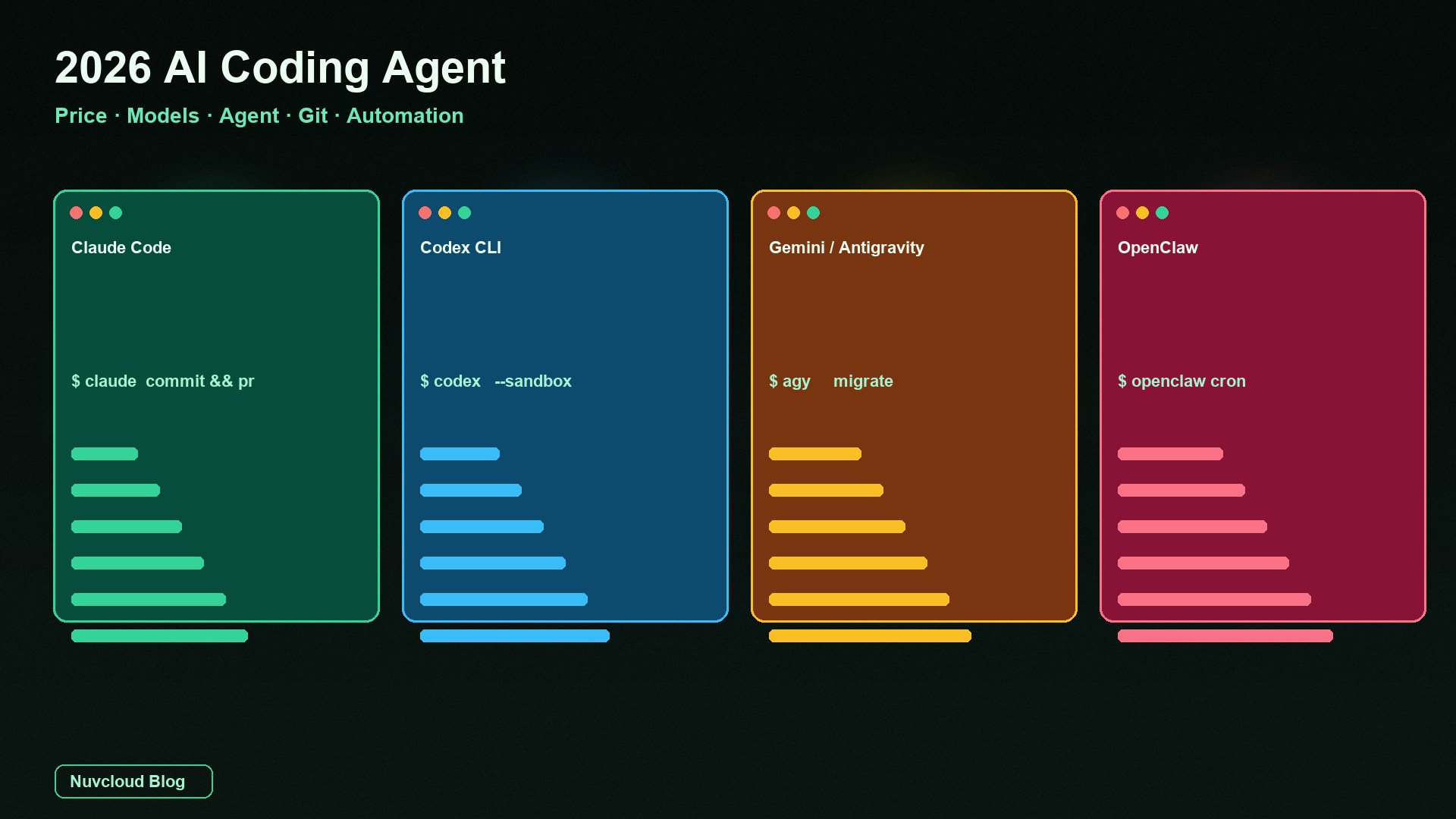
As of September 18, 2026, the “AI coding agent” in your terminal is no longer three npm packages sitting on the same shelf. Claude Code and Codex still fight for the daily edit seat; Gemini CLI’s individual tier stopped serving requests on June 18, and Google is steering people to Antigravity CLI; OpenClaw is not even the same product—it is a self-hosted gateway for channels, cron, and always-on automation. This piece walks five axes: price, models, agent, Git, and automation. When you finish, you should know which one to install first—and when to stack two—instead of searching “who is strongest” again.
First, align the map: these four are not the same kind of product
Stuffing Claude Code, Codex, Gemini CLI, and OpenClaw onto one “who wins” leaderboard is the most common buying mistake of 2026. The first three are coding agents that work against a repo: they read files, edit files, run commands, and touch Git. OpenClaw is a gateway that works against people and channels: Telegram / Slack / WhatsApp come in, cron and webhooks wake it, and it hands the job to the model or coding agent you configured. The software itself is MIT, with no paid seats. The foundation does not sell you a plan.
Two pieces on this site are easy to mash into this one, so draw the lines now: Cursor vs. Claude Code vs. GitHub Copilot: a year of subscription cost is an IDE-completion stack bill; Hermes vs. OpenClaw is how you install an open-source agent framework. This article answers one question: if you need an agent that writes code, touches Git, and can hang automation in 2026, whose seat do you buy first among these four?
| Product | Vendor | What it actually sells | Open source? |
|---|---|---|---|
| Claude Code | Anthropic | A coding agent on terminal / IDE / desktop / web | No — closed product |
| Codex CLI | OpenAI | A local terminal coding agent, via ChatGPT or the API | Yes — the repo is reviewable |
| Gemini CLI | Was a free personal terminal agent; individual tier stopped on 2026-06-18 | The original Apache-2.0 client is still there; personal requests now go through Antigravity | |
| OpenClaw | OpenClaw Foundation | A self-hosted gateway: channels + schedule + webhooks + multi-model | Yes — MIT, no official hosted plan |
Official doors, in order: Claude Code at code.claude.com/docs; Codex at openai/codex; Gemini’s personal-tier migration note on the Google Developers Blog; OpenClaw at docs.openclaw.ai. Numbers below are what you can check on public pages as of 2026-09-18. Quotas and model names move. Open the pricing page before you buy. Do not treat this table as an invoice.
Price: subscriptions, free quotas, API, and the hidden bill
All four price tags can be written as “about $20.” You are not buying the same thing. Claude Code rides a paid Claude seat and shares quota with web chat. Codex rides a ChatGPT seat or an API key; cloud review and the local CLI may not even share a pool. Gemini CLI used to be nearly free for individuals; that door is closed. OpenClaw’s software is $0. The bill lives entirely in the model and the machine that never sleeps.
| Axis | Claude Code | Codex CLI | Gemini CLI / Antigravity | OpenClaw |
|---|---|---|---|---|
| Entry price | Claude Pro about $20/mo (about $17 billed annually); free tier does not include Code | ChatGPT Go about $8; Plus about $20; API key also works | Personal Free / Pro / Ultra stopped serving requests on 2026-06-18; enterprise Code Assist and paid API keys still work | Software is $0 |
| Heavy tier | Max 5× about $100, 20× about $200; or flip to Console and pay per token | Pro / Business / enterprise quota, or pay per token | Antigravity uses a weekly compute cap; enterprise seats follow Google Cloud licenses | Model API + electricity / a cloud host |
| Hidden cost | A 5-hour window plus a weekly cap, shared with chat | Local messages and cloud GitHub review may be billed separately | Personal migration cost: new binary, new quota language | Gateway always on, secrets, channel-plugin ops |
Anthropic is blunt: Claude Code is in every paid plan and shares usage with chat. The free tier has no Code. Heavy sessions can move to Console and pay per token so you do not burn a Max seat on one refactor. Codex officially splits into two paths: sign in with ChatGPT and you get the CLI / IDE / web plus some cloud features; use only an API key and you pay per token, but you do not get GitHub auto-review, Slack, or the other cloud pieces. ChatGPT Work and Codex also share quota. Workspace chat is not a second free card.
The Gemini line changed personality once in 2026. Before the cutover, a personal Google login was roughly 1,000 requests a day—that was the acquisition pitch. From June 18, personal Free, Google AI Pro, and Ultra stopped serving requests to Gemini CLI and the Code Assist IDE plugin. Organizations that hold Gemini Code Assist Standard / Enterprise, or that use a paid Gemini / Enterprise Agent Platform API key, are officially unaffected. If you still want a Google agent in the terminal as an individual, the path is Antigravity CLI, and the quota language flipped from “requests per day” to “compute per week.” Do not budget from old blog posts that still say “1,000 free requests/day.”
OpenClaw’s price is the easiest to undercount. Free software is not the same as cheap. You bring your own model: Claude, GPT, or local weights all plug in, but tokens and electricity are real money. The Gateway is meant to stay up; closing a laptop lid is the same as taking every channel offline. If you already pay for Claude Pro or ChatGPT Plus, the marginal software cost really is close to $0—but whether you can legally push subscription tokens through a third-party gateway is a terms-of-service question, not a default “I already paid $20, so I can forward forever.”
For a year-long total, the Cursor / Claude / Copilot piece on this site already does the IDE-stack math. This article only adds one sentence: the real coding-agent bill = the seat + overage tokens + the machine that does not sleep. Compare sticker prices only, and you will pick the combo that looks free and has nobody on call at night.
Models: defaults, context, and whether you can switch
Default model names get a new coat of paint every quarter in 2026. Writing “it must be Opus 4.8” is wasted ink. Shop three things: whether the default is a coding model you actually trust, whether the context window can swallow a mid-size repo in one pass, and whether you can switch models without switching clients.
| Claude Code | Codex CLI | Gemini line | OpenClaw | |
|---|---|---|---|---|
| Default model | Current-gen Claude (Sonnet / Opus — check the console) | Current-gen GPT / Codex family; pin it with -m | Still-usable Gemini CLI talks to Gemini; Antigravity talks to Google Agent Platform models | You wire it: Claude, GPT, Kimi, local |
| Context | Long context is the pitch (the Sonnet line has advertised million-token tiers) | Follows the model you pick; sized for “enough for one job” | A million tokens used to be Gemini CLI’s headline ad | Whatever you plugged in |
| Switching models | Mostly inside the Anthropic family; some surfaces expose third parties | Pick inside a ChatGPT seat; an API key follows the API catalog | Basically locked to Google models | The model is a plugin; swap vendors without swapping the gateway |
Claude Code’s edge is not “another 100k tokens.” It is the same engine showing up in the terminal, VS Code, JetBrains, desktop, and the web. A repo-root CLAUDE.md, Skills, and MCP are shared across those surfaces. Project rules do not vanish when you change windows. Codex’s edge is a reviewable client, a default model cut for coding work, and a cheap codex -m switch. The Gemini line’s edge used to be “free plus a million-token context.” After the personal tier shut, that edge is left for people who still hold an enterprise license or a paid key.
OpenClaw is almost designed backwards on models: it does not sell you one. The docs say use the provider you pick. Quality follows the model and the safety policy you are willing to pay for. That is good if you already hold two keys—the same Gateway can cut models by job. It is bad if you want one command and then start typing: there is no default brain. You finish onboarding first.
Model forecasts and the next Gemini number live in a separate piece on the Gemini Pro 4 release window. This article will not bet next quarter’s name. It bets one stabler thing: does the client still live after you change models? Closed suites bet the vendor. OpenClaw bets that you will change the plug.
Agent: permissions, sandboxes, Skills, and multi-agent
“Agent” is a worn-out word in 2026. What decides whether you hand it a repo is the permission model—not the green check in a demo video.
Claude Code is a productized harness: CLAUDE.md as the project constitution, Skills folding repeat work into commands like /review-pr, Hooks running your scripts before or after an edit or commit, MCP talking to Jira / Slack / homegrown tools. Sub-agents can run in parallel; desktop and web can also schedule. Permissions are stricter than a year ago, but they are still “OS rights plus a product confirm,” not Codex’s default no-network sandbox. The official install is curl -fsSL https://claude.ai/install.sh | bash; then claude inside the repo.
Codex CLI’s default stance looks more like security engineering: sandbox policy is read-only / workspace-write / danger-full-access, and the network is denied unless you open it. For daily local use, the official suggestion is --sandbox workspace-write --ask-for-approval on-request. Need extra directories? Use --add-dir, not --yolo as the first move. /permissions shows the current writable roots. MCP exists. Plugins exist. The default trust boundary is still narrower than Claude Code. How much RAM a machine actually spends is a hardware bill we already measured in what projects run on 8GB / 16GB / 32GB—that is not this article’s axis.
# Claude Code
curl -fsSL https://claude.ai/install.sh | bash
cd your-repo && claude

# Codex CLI
curl -fsSL https://chatgpt.com/codex/install.sh | sh
cd your-repo && codex --sandbox workspace-write --ask-for-approval on-request

# Individual Gemini CLI requests have stopped; enterprise / paid keys still work on the original client.
# Personal migration (follow the official announcement):
# curl -fsSL https://antigravity.google/cli/install.sh | bash

# OpenClaw (self-hosted gateway, not a coding REPL)
# Node 24.16+ or 26.x, then openclaw onboard
# Docs: https://docs.openclaw.ai/
Where Gemini CLI still runs, trusted folders plus YOLO mode are the personality: fast to start, boundaries you draw yourself. Hooks, sub-agents, and MCP are all named in the migration note as “things Antigravity is supposed to carry over.” The personal-user question is no longer “is Gemini CLI good?” It is “am I still on an unaffected license?” If you are not, follow the official migration. Do not keep debugging a login that already stopped serving requests.
OpenClaw’s agent work sits on another layer: sessions, memory, multi-agent routing, skills, and channel plugins. It can call a coding agent. It can also call a browser, Gmail, or GitHub. The security model is “trusted gateway, untrusted execution, write the policy down hard”—which means you review ~/.openclaw/openclaw.json, the channel allowlist, and webhook tokens yourself. Community write-ups that say “do a security review before you deploy” are not being polite. An unrestricted Gateway on the public internet is handing model keys and repo operations to anyone who can hit the port.
Git: commits, PRs, and CI—who actually fits
Whether a coding agent is worth paying for lands on Git: will it write a commit message, open a PR, and finish a headless review in CI? “Look at this snippet” in a chat window is not Git integration.
| Action | Claude Code | Codex CLI | Gemini line | OpenClaw |
|---|---|---|---|---|
| Local commit | Native: stage, write the message, create the branch | Edit in the local loop, review the diff, then commit | It can edit files; Git depth depends on which client you still run | A workspace can use gh; it is not a default REPL |
| Open a PR | Terminal / a sub-agent can open a PR when the job ends | Cloud tasks + GitHub integration (needs a ChatGPT seat, not just an API key) | Enterprise Code Assist / GitHub product line still exists | An agent can draft a PR if you gave it GitHub credentials |
| CI / headless | claude -p can be piped; official notes cover GitHub Actions / GitLab | codex exec + --json fits a pipeline | Automation still works under an enterprise license | Cron / a webhook wakes it, then it calls a coding agent or gh |
| Code review | GitHub Code Review, or git diff | claude -p in a pipeline | A local review subcommand; @Codex on GitHub bills review quota separately | Code Assist for GitHub (enterprise) | You write the review policy into skills and standing orders |
Claude Code treats Git as a first-class citizen. The official overview literally demos claude "commit my changes with a descriptive message" and piping git diff into a headless review. The CI story is “an event comes in, the agent opens a PR or leaves a comment.” Codex splits local and cloud: local codex is for watching the diff; codex exec is for scripts; GitHub auto-review is a cloud feature, and OpenAI writes that only reviews run through GitHub count against Code Review quota. API-key-only users should not expect that layer to appear for free.
The Gemini Git story now forks. Enterprise Code Assist and the GitHub products on Google Cloud are still there. Personal terminal users have to carry the old GEMINI.md, MCP, and skills over to Antigravity. The migration note promises to copy config; it does not promise 1:1 feature parity—Google does not claim that itself. Teams that wired a critical release pipeline to personal Gemini CLI should already have cut over after June. If you have not, this is priority work, not an optional polish.
OpenClaw touches Git unlike the other three. It is not “open a TUI inside the repo.” It is someone in a channel saying “draft a PR for this issue,” and the Gateway using a configured gh and workspace to do it. That fits on-call, a product manager dropping a bug in Slack, or a midnight webhook waking a hotfix. It does not fit you sitting in the repo for a three-hour refactor—that job belongs to Claude Code or Codex. OpenClaw’s job is to send the result back to the channel.
Automation: headless, cron, channels, and always-on
Automation is the axis that actually opens a gap. All four can look competent while you are watching. Only some combinations keep working after you close the lid.
Claude Code’s automation has three layers. In the terminal, claude -p follows Unix: pipe logs, batch-translate, review changed files in GitHub Actions. Desktop and web have Routines; cloud schedules can still run after the computer is off, and they can hang off GitHub events. Channels (Slack / Discord / web hooks) can push an external event into a session. That is vendor-hosted “it keeps going after you leave your chair”—if you can afford the seat, and if you accept the job running on their cloud.
Codex automation leans toward engineering scripts: codex exec is headless, can emit JSON, and fits a runner you own. Cloud tasks can be submitted from the terminal and pulled back locally. GitHub and Slack are cloud capabilities of a ChatGPT seat, not a gift on the API-key path. It is a good fit for “this pipeline must be reproducible and auditable.” It is a poor fit for “I live with an assistant on WhatsApp.”
Gemini / Antigravity automation depends on which license you still hold. The enterprise side keeps going through Google Cloud and Code Assist. The personal side has to redesign jobs like “scan the repo once a day” against the new CLI’s weekly compute cap. The old “1,000 requests a day is enough for cron” spreadsheet is dead.
OpenClaw was almost born for this axis. The docs split automation into cron, heartbeat, hooks, webhooks, Task Flow, and standing orders. Cron can send results back to a channel or an HTTP endpoint. Heartbeat, by default, sweeps the inbox and the checklist about every thirty minutes. Gmail Pub/Sub and the Gateway’s /hooks/wake exist so an outside system can wake the agent. The channel list is long: Discord, Slack, Telegram, WhatsApp, iMessage, Matrix, Teams… the chat tool you already use often has a plugin. How to keep a Gateway standing on a remote Mac is a separate hands-on: OpenClaw on a remote Mac, US East and West. This piece will not repeat the install steps.
Always-on automation has a physical premise: the process cannot go to sleep with the laptop lid. Claude / Codex cloud schedules hand that premise to the vendor. OpenClaw hands it to your machine. A dedicated Apple Silicon box you can SSH into, with keys living in the keychain, is more honest than opening four agents on the thin laptop you take through airport security.
How to choose: one decision table, one install or two
Do not start from a review-site total score. Start from what will actually happen this week.
| Your main scene this week | Install first | Do not install first | Why |
|---|---|---|---|
| Cross-file refactors, you care about quality, you already chat in Claude | Claude Code | OpenClaw as the only coding tool | Same seat, same rules; Git and the extra surfaces are already wired |
| You want a reviewable client, headless CI, and you do not want the agent on the open network | Codex CLI | YOLO as the default | Open source + default sandbox + codex exec |
| The company already bought Gemini Code Assist enterprise or a paid API key | Keep Gemini CLI / the enterprise line | A personal free login | Google says enterprise and paid keys were not hit by the June 18 cutover |
| You are still signing into the old Gemini CLI as an individual | Move to Antigravity per the announcement | Keep debugging a dead login | Personal requests already stopped. It is not your network. |
| Slack / Telegram on-call, scheduled sweeps, webhook hotfixes | OpenClaw | Pretending web chat is automation | Channels, cron, and memory are the home field |
| You need both repo edits and an always-on channel | Claude Code or Codex + OpenClaw | Install all four and fight over one key | Coding layer and gateway layer; each keeps its own permissions |
One person, one main repo, a few hours a day: pick Claude Code or Codex, not both. Already paying for Claude Pro? Take the former. Already paying for ChatGPT Plus, and you care about the sandbox and an open-source client? Take the latter. Do not stack two paid seats “so you do not miss out.” That is how a hidden bill becomes a subscription.
A small team with on-call and scheduled jobs: put the coding agent on a local machine or in GitHub Actions, and put OpenClaw on a machine that does not sleep. The Gateway only wakes, only routes, only replies in the channel. The right to actually edit code stays inside the coding agent’s sandbox or confirm flow. If a self-evolving framework like Hermes is also on the shortlist, read the Hermes vs. OpenClaw piece on this site first and decide the framework layer there. Do not mash it into this article’s “terminal coding seat” purchase.
Enterprise buying should not follow a personal blog’s “free or $20.” Seats, data residency, whether a third-party gateway may use subscription tokens, and which identity the CI bot uses to push a branch decide whether you can ship—before the model name does. Price tables get a new edition every year. Permissions and Git identity hurt more to change.
Put the Git-touching agent on a Mac that does not sleep
Among these four, whenever the job involves headless CI, cron, channel on-call, or a cloud schedule, the bottleneck is rarely “buy a more expensive model tier.” It is whether the process is still up, whether the key is still there, and whether closing the lid kills the webhook. A Nuvcloud cloud Mac mini is dedicated Apple Silicon bare metal: unified memory is enough to run a coding agent and a Node Gateway at once, SSH stays up, the macOS keychain can keep keys per repo, and idle power is low. That is the honest place to lift “automation that touches Git” off a travel laptop.
If you are about to let Claude Code / Codex run in GitHub Actions, or let OpenClaw pick up Slack at 2 a.m., start with Nuvcloud plans and regions. Put the agent on a Mac that stays awake, instead of cold-starting it on a closed ultrabook.
Further reading
FAQ
If I install only one in 2026, which one?
Code only, and you already pay for Claude: install Claude Code. Code only, and you care about the sandbox plus an open-source client: install Codex. Channels and schedules, and you are not sitting in the repo all day: install OpenClaw. Individuals should not treat the shut-down Gemini CLI as “the one.”
Can I still use Gemini CLI for free?
Personal Free, Google AI Pro, and Ultra stopped serving Gemini CLI requests on June 18, 2026. Enterprise Code Assist licenses and paid API keys are officially unaffected. Individuals who still want a Google terminal agent should move to Antigravity CLI per the announcement.
Can OpenClaw replace Claude Code or Codex?
Not as a daily coding REPL. It can call a coding agent and open a draft PR with gh, but the home field is channels, cron, and always-on. Using it as the coding agent also drops the default sandbox and a mature repo TUI.
Can I install Claude Code and Codex together?
Yes, but stacking two paid seats is usually not worth it. The common pair is one daily coding agent plus OpenClaw as the night gateway. If two coding agents share a repo, unify CLAUDE.md / agent rules first so they do not each invent a style.
If I run Codex on an API key only, do I get GitHub auto-review?
Per OpenAI’s public notes, the API-key path covers the CLI / SDK / IDE and does not include GitHub auto-review or Slack-style cloud features. Those capabilities travel with a ChatGPT seat.
Does the Claude free tier run Claude Code?
No. The official comparison table says the free tier has no Claude Code. You need Pro or higher, a Team / Enterprise paid seat, or Console billed per token.
Is it allowed to plug a Claude subscription into OpenClaw?
Follow Anthropic’s and each channel’s terms at the time you do it. In practice people use an API key; they do not infinitely forward a web subscription. Do not assume “I paid $20, so the gateway can proxy forever.”
Do I have to buy a new Mac to run these agents?
Not for daily coding. A recent laptop will run Claude Code or Codex. For 24/7 OpenClaw, headless CI, and keys that do not fight office apps, a cloud Mac mini that stays on is a better buy than replacing everyone’s machine.